Early access Free while we build it with you
The AI you already use is now your fitness coach.
Heza works with Claude, ChatGPT and others. No new AI and no extra subscription. Just say what you ate, lifted or ran.
- Works with Claude, ChatGPT and more
- Works without an AI too
- Garmin and COROS
- iPhone, Android, desktop
Your AI is the coach
Say it or type it. Heza does the logging.
Connect Claude, ChatGPT or another AI assistant. Talk to it like a coach who can see your training, your food and your watch data.
- Log meals, even from a photo Say what you ate, or send a photo of your plate, the nutrition label or the barcode. Labels and barcodes give exact values.
- Log workouts and runs "I did lat pulldown, 3 sets of 10 at 20 kg" becomes a logged session with every set.
- Plan your week Runs and lifting days with exercises and suggested weights, sent to Heza's Plan.
- Review your progress Ask how you are doing against your goal and get an answer based on your data.
- Coach notes on every screen Your AI leaves short notes in Heza with one clear thing to do next.
It sees only your own data.
It runs on the AI plan you already have.
Try asking
- "What should I change in the next 4 weeks?"
- "Plan my week"
- "Should I train hard today?"
- "Did I eat enough protein this week?"
- Said out loud:"Two eggs, toast and a flat white for breakfast"
- Typed:"Bench 3x8 at 80 kg, then 3x10 pull-ups"
- Typed:"Plan 3 runs and 2 lifting days next week"
- Said out loud:"How am I doing against my goal?"
How it works
Up and running in three steps.
Heza is fully usable on its own. The watch and the AI make it faster, and you can add them any time.
-
Create your free account
Sign up at my.heza.app and add your height, weight and goal. It takes a minute.
-
Connect your watch
Garmin or COROS syncs every hour. No watch? Type your daily numbers in or import a file.
-
Connect your AI
Add Heza to Claude, ChatGPT or another AI assistant with one link. Then just talk to it.
Fuel
See eaten vs burned, live, all day.
Search USDA and Open Food Facts, scan a barcode, or reuse your own foods and saved meals. See what you ate next to what your watch says you burned.
- Fast barcode scanning Point your camera, done.
- Checked foods From the label or verified by the Heza team.
- Macros and water Protein, carbs, fat, fiber and water.
- Dynamic target Grows with your active calories.
Lift
Know what to lift next time.
Log sets live and Heza suggests your next weight from your history and effort. Last time 3×10 at 25 kg with 2 in reserve? Try 27.5 kg.
- Effort per set RPE or reps in reserve, one tap.
- Per-side and timed Single-arm sets and timed holds.
- Exercise library With animations for each move.
- Planned vs done Templates with sets × reps @ weight.
Muscle map
See what every session trained.
Each workout gets a muscle map. Tap a muscle to see the sets and exercises behind it, so you can spot what you are skipping.
Chest · 9 sets
Bench press, Incline dumbbell press, Push-up
Tap a muscle to see what trained it
Run
Plan the run. It shows up on your watch.
Every run with route, splits, heart rate zones and fitness trends. Planned runs go to your Garmin or COROS as structured workouts, so your watch guides the session.
More about runningPlan
One week, runs and lifting together.
Build your week in Heza or ask your AI to plan it around your goal. Sessions carry exercises and weights, runs carry the workout for your watch.
Progress
Chase one goal, see if it's working.
Pick your focus: long runs, speed, fat loss or muscle. Heza tracks your weight trend, and your AI checks your progress against the goal.
The real app
Coach notes on every screen.
Screens from Heza today. Your AI writes a short note for each section, with one thing to do next.
-
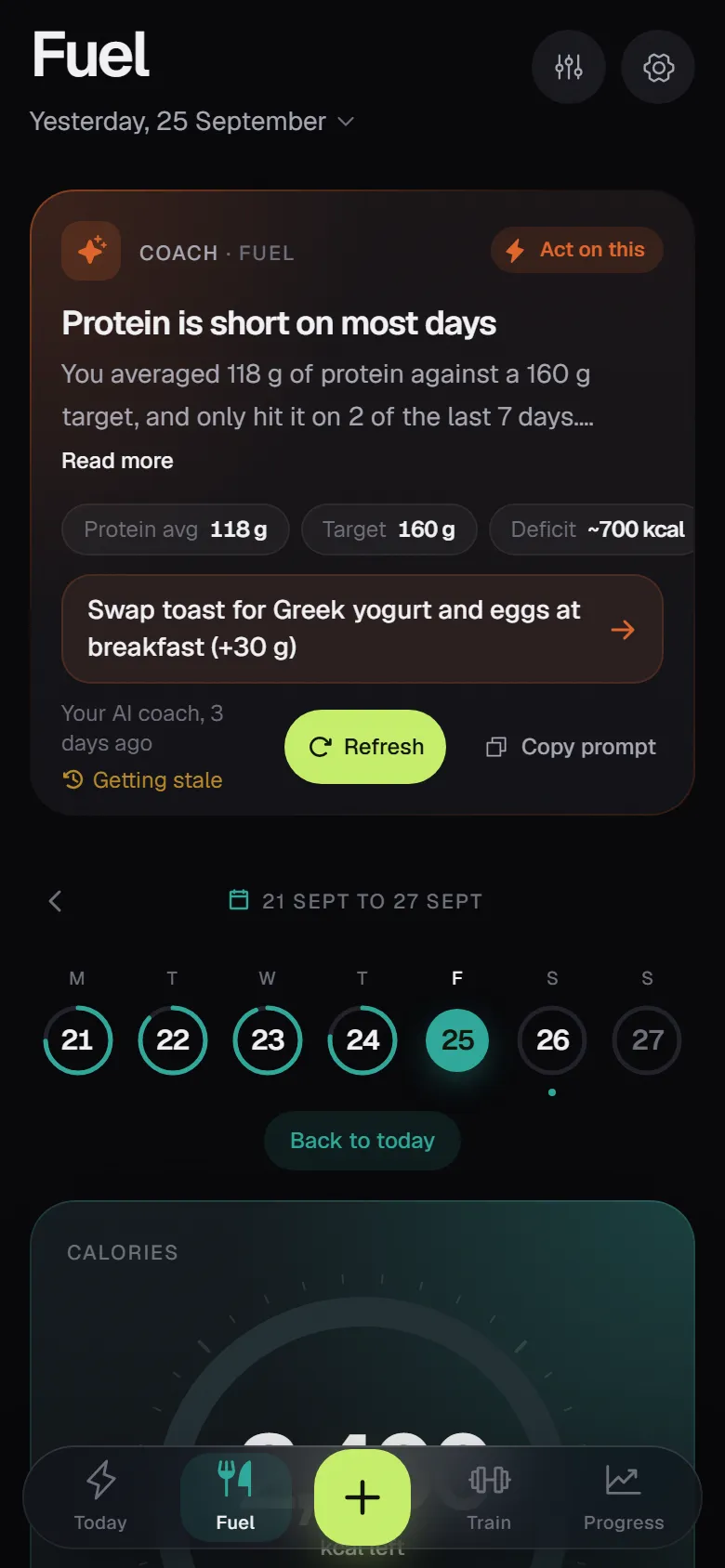
Fuel -
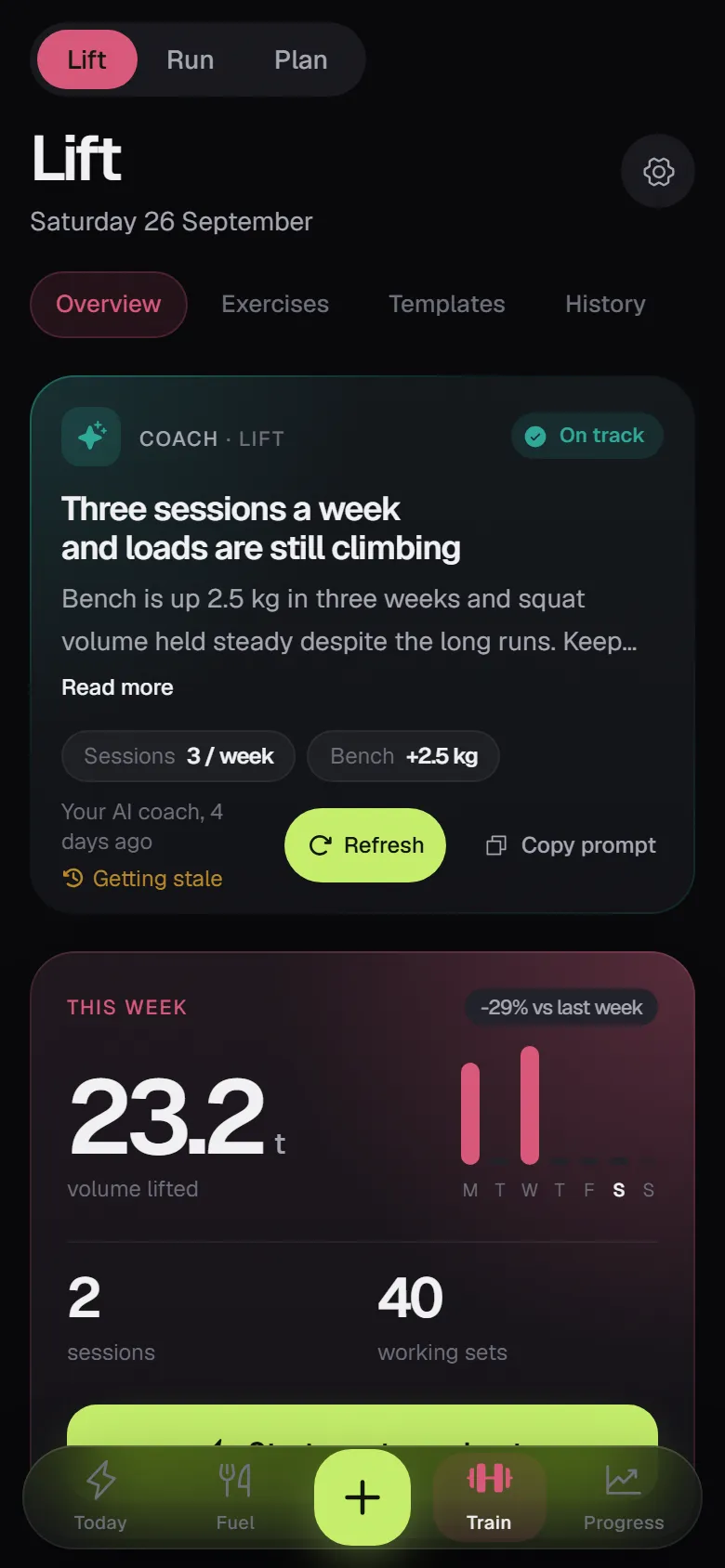
Lift -
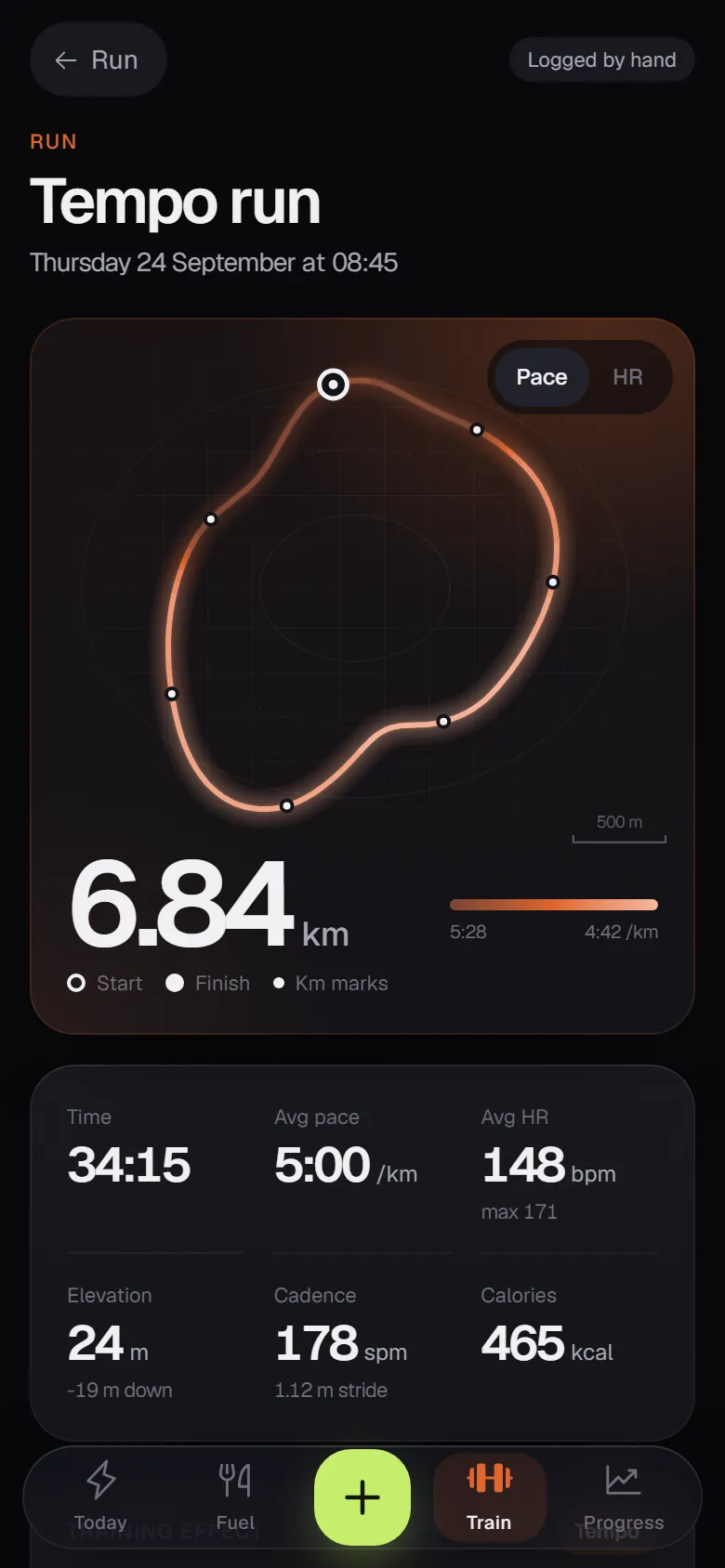
Run -
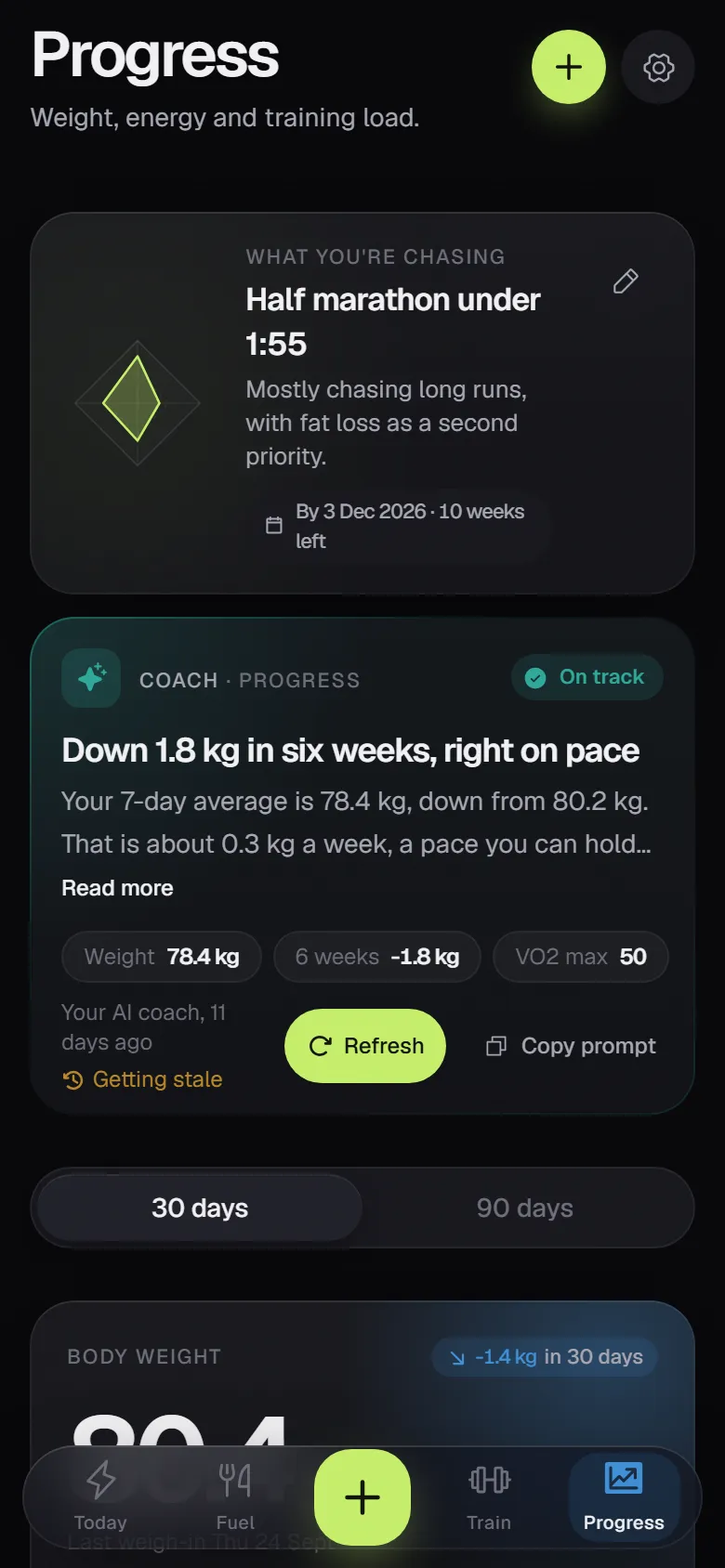
Progress
Garmin and COROS
Your watch does the counting.
Connect Garmin or COROS once. Heza syncs every hour, so what you burned sits next to what you ate.
- Activities and routes
- Calories burned
- Steps
- Sleep (optional)
- HRV
- Resting heart rate
- VO2 max
- Training load
- Recovery
Planned runs go to your watch. No watch? Type your daily numbers in, or import FIT, GPX or TCX files.
What works with each watch
| Feature | Garmin | COROS |
|---|---|---|
| From your watch to Heza | ||
| Runs, rides and workouts, with routes | ||
| Calories burned and steps | ||
| Sleep, HRV and resting heart rate | ||
| VO2 max and training load | ||
| Recovery | Body battery and readiness | Recovery % |
| From Heza to your watch | ||
| Planned runs as structured workouts | ||
| Heart-rate targets on planned runs | ||
| Planned rides | ||
| Changes to a planned run | Updated, moved or removed | Updated (remove in the COROS app) |
| Weigh-ins | ||
| Water | ||
| Food | ||
Sending to your watch is on by default and can be turned off in Settings. Garmin and COROS don't accept meal logs from other apps, so food stays in Heza.
Your data is yours.
- No ads. Your data is never sold.
- Export everything any time, as JSON or CSV.
- Delete your account yourself, from Settings.
- Your AI sees only your data, and only if you connect it.
Heza is run by a small team that can see what you store, to run and fix the service. Read the privacy policy.
Works everywhere.
Heza is an installable app for iPhone, Android and desktop. Add it to your home screen and it opens full screen, like any other app.
- Reminders for planned workouts, meals and weigh-ins.
- The same account on every device.
- No app store needed.
FAQ
Questions, answered.
What is Heza?
Heza is a fitness and nutrition tracker. It puts what you eat, how you lift, how you run and how you recover in one place, and lets your own AI assistant act as your coach.
Is Heza free?
Yes. Heza is in early access and free to use. Sign up at my.heza.app and start right away.
Do I need an AI assistant to use Heza?
No. Everything works in the app on its own: food search and barcode scanning, live workout logging, runs, plans and progress. Connecting an AI is the fast way to log and ask questions, not a requirement.
Which AI assistants work with Heza?
Claude, ChatGPT and any other AI assistant that supports MCP connectors. Add Heza once with a link and sign in. In ChatGPT, this depends on your plan.
Do I need to pay for another AI subscription?
No. Heza uses the AI plan you already have. There is no extra AI fee from Heza.
What can my AI do in Heza?
By voice or text, it can log meals (even from a photo), workouts and runs, plan your week and review your progress against your goal. It also writes coach notes in the app, and it only sees your own data.
Which watches does Heza support?
Garmin and COROS. Heza syncs every hour: activities, calories burned, steps, sleep (optional), HRV, resting heart rate, VO2 max, training load and recovery. Planned runs are sent to your watch as structured workouts.
I don't have a watch. Can I still use Heza?
Yes. Type your daily numbers in by hand, or import runs from FIT, GPX or TCX files.
Is there an iPhone or Android app?
Heza is an installable web app. Add it to your home screen on iPhone or Android, or install it on your desktop. It opens full screen like any other app and can send reminders. How to install it.
How do I install Heza?
Open my.heza.app on your phone. On iPhone, tap Share in Safari, then Add to Home Screen. On Android, tap Install app when Chrome offers it, or open the menu and tap Add to Home screen. It takes under a minute. See the steps with pictures.
Who can see my data?
You, the AI assistant you connect (only your own data), and the small Heza team that runs the server. There are no ads, your data is never sold, and you can export it or delete your account in Settings at any time.
More in the full FAQ.
Start free while it's early.
Heza is in early access and free. Make an account in a minute, connect your watch and your AI when you are ready.
Free. No card. Works on iPhone, Android and desktop.